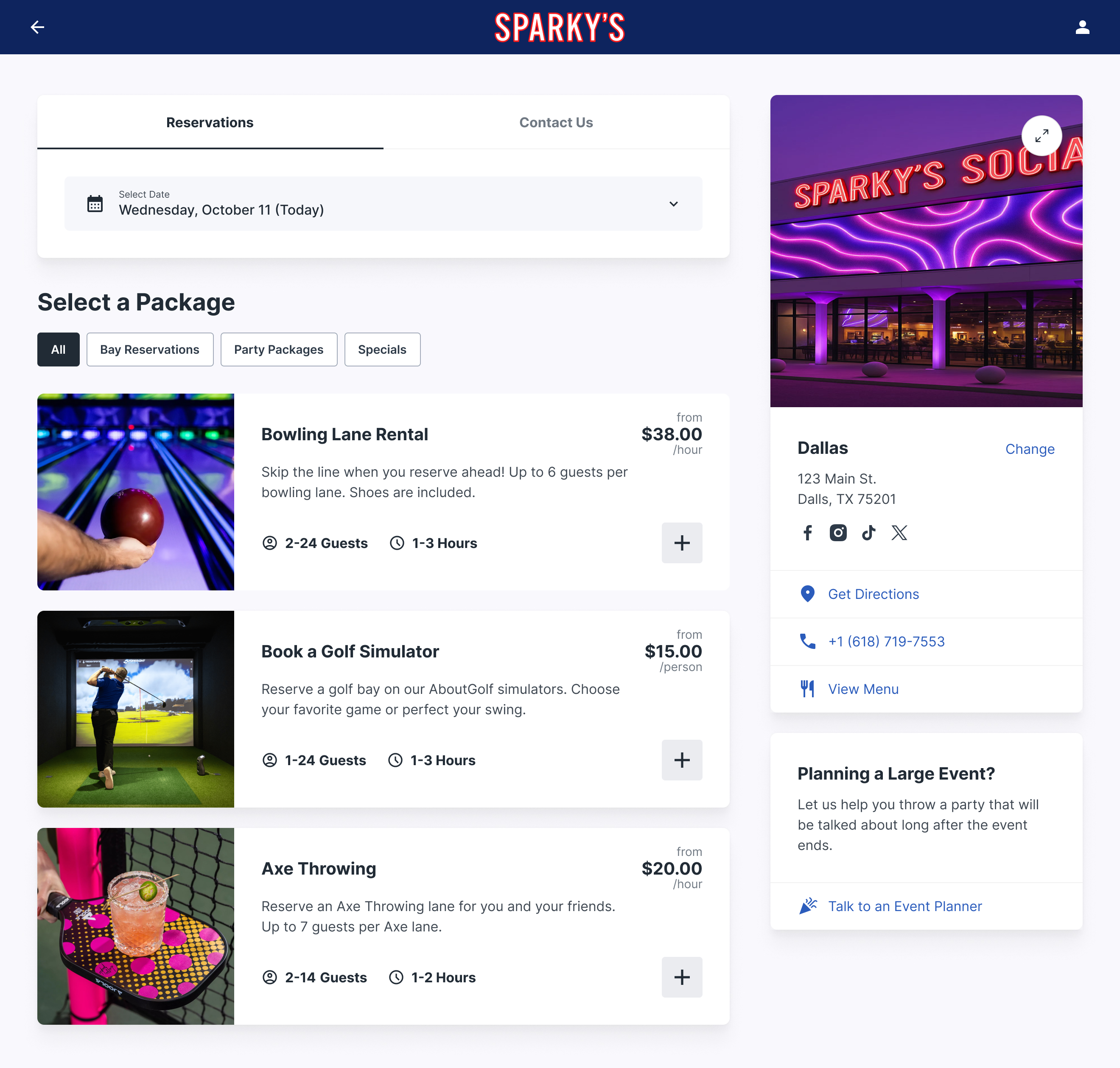
Bowling reservation software lets guests book lanes, party packages and events online, and gives your front desk one real-time view of every lane. Five options are worth evaluating in 2026: Rex, Brunswick Sync, CenterEdge, Clubspeed, and generic booking tools. Which one fits comes down to how many activities you run alongside bowling, how much of your revenue comes from parties, and whether you need scoring and POS in the same package.
If you run a bowling center, you already know: the phone rings during league night, your party coordinator is juggling three events, and walk-ins are stacking up while your front desk tries to sort it all out. A bowling booking system changes that equation completely — letting guests book lanes, parties, and events online while your team focuses on the experience, not the logistics.
But not all bowling reservation software is built equal. Some systems are designed for massive entertainment complexes. Others are glorified calendar widgets. And a few actually understand what bowling center operators need: something that handles lane assignments, party packages, food-and-beverage coordination, and online payments without requiring an IT department to manage.
What Is a Bowling Booking System?
A bowling booking system is specialized software that lets guests reserve lanes, schedule party packages, and book events at your bowling center — typically through an online booking widget on your website. On the backend, it gives your staff a real-time view of lane availability, reservation status, and customer details.
The best systems go beyond basic scheduling. They handle:
• Lane-specific reservations with time-slot management and automatic turnover buffers
• Party and event booking with package builders, deposit collection, and add-on upsells
• Online payments via credit card (ideally through Stripe or a similar processor)
• Multi-activity support for centers that also have arcade, laser tag, or food service
• Automated confirmations and reminders to reduce no-shows
Think of it as the digital front desk that never takes a break. A solid bowling alley booking system doesn't just save time — it directly increases revenue by capturing bookings 24/7 that would otherwise be lost to voicemail or busy signals.
Key Features to Look for in Bowling Reservation Software
Before comparing specific platforms, here's what actually matters when evaluating a bowling lane reservation system. These are the features that separate tools that work from tools that create more problems than they solve.
Real-Time Lane Availability
Your system needs to show accurate, up-to-the-minute lane availability — both to guests booking online and to staff managing walk-ins. If a guest books lane 7 at 6pm online, your front desk needs to see that instantly. Double-bookings kill trust faster than anything.
Party and Event Package Management
Bowling centers make a huge chunk of revenue from birthday parties and group events. Your booking system should let you build custom packages (2 hours of bowling + pizza + shoe rental), collect deposits online, manage add-ons, and send automated event confirmations. If your party coordinator is still managing this through a paper binder, you're leaving money on the table.
Online Payment Processing
Collecting payment at the time of booking — or at least a deposit — dramatically reduces no-shows. Look for systems that integrate with Stripe or similar payment processors rather than proprietary payment solutions that lock you in and charge higher fees. Transparent payment processing saves you thousands over the life of the system.
Multi-Activity Support
Most bowling centers aren't just bowling anymore. If you've got an arcade, laser tag, axe throwing, escape rooms, or a bar and grill, you need a system that can manage all of those activities in one place — not a separate tool for each one. The best bowling booking systems are really venue management platforms that happen to be great at bowling.
Guest Communication
Automated confirmation emails, reminder texts before the booking, and follow-up messages afterward. This isn't optional anymore — guests expect it, and it reduces no-shows by 20-30%. Bonus points for systems that let you customize these messages with your branding.
Ease of Use (For Staff AND Guests)
If your booking widget takes more than 60 seconds to complete a reservation, guests will bail. And if your staff needs a training manual to process a walk-in, you've got the wrong system. The interface matters — on both sides of the counter.
Upsell and Revenue Optimization
The best systems help you increase revenue per guest by prompting add-ons during the booking flow — shoe rental, food packages, extended time, premium lanes. This is where a good system pays for itself.
Top Bowling Booking Systems Compared (2026)
Let's get into the specifics. Here are the five bowling booking systems worth evaluating in 2026, with an honest look at what each does well and where it falls short.
1. Rex
Rex was built specifically for entertainment venues — bowling centers, FECs, trampoline parks, and multi-activity complexes. It's not a generic booking tool retrofitted for bowling; it's designed from the ground up for the way bowling centers actually operate.
Best for: Bowling centers of all sizes, especially those with multiple activities (bowling + arcade + food + events). Venues that want a modern booking experience without enterprise complexity.
Key strengths:
• Multi-activity booking engine — guests can book bowling lanes, party rooms, and other activities in a single reservation
• Clean, intuitive booking widget that embeds on your website and converts well on mobile
• Native Stripe integration for transparent, low-fee payment processing
• Party and event management with customizable packages, deposits, and add-on upsells
• Built-in capacity management so you never overbook lanes or activities
• Membership and loyalty program support for recurring revenue
• Simple setup — most venues are live within a week
Considerations: Rex doesn't include a full POS system (it's a reservation and booking platform, not an all-in-one center management suite). If you need scoring integration or mechanical lane management, you'll pair Rex with your existing lane system. That said, most operators find this separation is actually an advantage — you get best-in-class booking without being locked into one vendor's entire ecosystem.
Pricing: Subscription-based, with pricing that scales with your venue size. No long-term contracts required.
2. Brunswick Sync
Brunswick Sync is the center management platform from Brunswick — the same company that manufactures lanes and pinsetters. It's a comprehensive system that covers scoring, lane management, POS, and booking in one integrated package.
Best for: Larger bowling centers (24+ lanes) that are already in the Brunswick ecosystem and want everything from one vendor.
Key strengths:
• Deep integration with Brunswick scoring and lane hardware
• Full POS system included — handles food, beverage, and retail
• League management tools built in
• Enterprise-grade reporting and analytics
Considerations: Sync is a big system — implementation can take weeks or months, and you'll likely need Brunswick's team for setup and training. It's also priced for larger operations, which can put it out of reach for smaller centers. The online booking experience, while functional, isn't as modern or conversion-optimized as dedicated booking platforms. And if you're not running Brunswick equipment, the integration advantages largely disappear.
Pricing: Custom quotes based on center size and configuration. Expect significant upfront costs plus ongoing licensing.
3. CenterEdge
CenterEdge is a well-known name in the FEC (family entertainment center) space. It offers a comprehensive suite that covers POS, ticketing, booking, and arcade management. Their bowling module plugs into the broader platform.
Best for: Large FECs where bowling is one of many attractions and you need a single POS and management system across everything.
Key strengths:
• Comprehensive FEC management — arcade card systems, attractions ticketing, food service POS
• Strong party booking and event management
• Handles complex pricing (dynamic pricing, time-based, activity bundles)
• Good reporting across all activities
Considerations: CenterEdge is built for big operations. If you're primarily a bowling center with a small arcade, it can feel like overkill — and the pricing reflects that complexity. The online booking interface works but isn't the most visually polished. Setup and onboarding require significant time and training. Smaller venues may find themselves paying for features they'll never use.
Pricing: Custom enterprise pricing. Generally higher cost than bowling-focused solutions.
4. Clubspeed
Clubspeed started in the go-kart industry and has expanded to serve multi-attraction entertainment venues. It handles online booking, POS, membership, and operations management with a focus on timed activities.
Best for: Multi-attraction venues where bowling is alongside go-karts, VR, or other timed experiences.
Key strengths:
• Strong timed-activity management (great if your lanes run on strict time slots)
• Online waiver integration
• Membership and loyalty features
• API access for custom integrations
Considerations: Clubspeed's roots are in karting, and it shows — bowling-specific features can feel like an afterthought compared to their attraction management tools. The user interface has a steeper learning curve than some competitors. Pricing is on the higher end, and smaller bowling centers may not need (or want) the full platform.
Pricing: Subscription-based, enterprise pricing. Contact sales for quotes.
5. BookNow / Generic Booking Tools
Several generic booking platforms (BookNow, SimplyBook.me, Calendly-style tools) offer basic reservation functionality that some bowling centers use as a budget option.
Best for: Very small bowling centers (under 12 lanes) with simple booking needs and a tight budget.
Key strengths:
• Low cost (some have free tiers)
• Quick setup — can be live in a day
• Simple to use for basic time-slot booking
Considerations: Generic tools don't understand bowling. They can't manage lane-specific assignments, handle party package builders, or support multi-activity booking. There's no concept of lane capacity, turnover buffers, or shoe rental add-ons. You'll outgrow these tools quickly — and migrating to a proper system later means rebuilding your booking workflow from scratch. For anything beyond the most basic lane reservations, you need a purpose-built system.
Pricing: Free to ~$50/month for basic tiers. Higher-tier plans with payment processing can be $100-200/month.
Quick Comparison at a Glance
Here's how the five systems stack up on the features that matter most to bowling center operators:
| System | Multi-activity | Party booking | Online payments | Mobile-friendly | Setup time | Best for |
|---|---|---|---|---|---|---|
| Rex | ✅ | ✅ | ✅ (Stripe) | ✅ | Days | All sizes, multi-activity venues |
| Brunswick Sync | Limited | ✅ | ✅ (proprietary) | Basic | Weeks–months | Large Brunswick-equipped centers |
| CenterEdge | ✅ | ✅ | ✅ | ✅ | Weeks | Large FECs |
| Clubspeed | ✅ | ✅ | ✅ | ✅ | Weeks | Multi-attraction (karting focus) |
| Generic tools | ❌ | ❌ | Basic | Varies | Hours | Very small, simple operations |
How to Evaluate a Bowling Booking System for Your Venue
Choosing the right bowling reservation software isn't just about features on a spec sheet. Here's a practical framework for making the decision:
Start With Your Venue's Complexity
How many activities do you offer beyond bowling? If you're a pure bowling center, your needs are different from a venue with bowling, laser tag, an arcade, and a full restaurant. Multi-activity venues need a system that can handle all of those in one booking flow. If you're starting a bowling alley from scratch, factor booking system costs into your technology budget from day one — it's not an afterthought.
Test the Guest Booking Experience
Before you evaluate the admin dashboard, test the booking flow as a guest. Pull up the demo on your phone. Try to book a lane. Then try to book a birthday party. If it takes more than a few taps to complete, your guests will feel the same friction — and many will abandon the booking. The guest experience is the product.
Ask About Payment Processing Fees
Some systems include payment processing but charge 3-4% per transaction through proprietary processors. Others let you use Stripe (2.9% + 30¢) or negotiate your own rates. Over a year, this difference adds up to thousands of dollars. Always ask: can I use my own payment processor?
Check Integration Options
Does the system integrate with your existing POS? Your scoring system? Your email marketing tool? Google Analytics? A booking system that operates in a silo creates data silos. The best systems play nicely with your existing tech stack.
Evaluate Support and Onboarding
How long does implementation take? Is there dedicated onboarding support? What happens when something breaks at 7pm on a Friday — your busiest night? Ask about support hours, response times, and whether you get a real person or a ticket queue.
Think About Growth
Will this system still work when you add activities, open a second location, or launch a membership program? Switching booking systems is painful and expensive. Choose something that can grow with you, even if you don't need every feature today.
Implementation Guide: Getting Your Bowling Booking System Live
Once you've chosen a system, here's a practical timeline for getting it up and running without disrupting your current operations:
Week 1: Setup and Configuration
• Define your bookable activities (lanes, party rooms, event spaces)
• Set up time slots, pricing tiers, and capacity limits
• Configure party packages and add-on options
• Connect your payment processor
• Customize confirmation and reminder emails
Week 2: Testing and Staff Training
• Run test bookings through the full flow (guest booking → confirmation → check-in)
• Train front desk staff on the admin dashboard
• Train your party coordinator on event management features
• Test mobile booking on different devices
• Set up a soft launch with a limited number of online-bookable slots
Week 3: Launch and Optimize
• Embed the booking widget on your website
• Add booking links to your Google Business Profile, social media, and email signature
• Monitor the first week's bookings for any issues
• Gather staff feedback on workflow
• Adjust time slots, buffers, and pricing based on real usage
Ongoing: Optimize and Expand
• Review booking data monthly — which time slots are popular, which are underbooked?
• A/B test party packages and pricing
• Add new activities to the booking system as you expand
• Use booking data to inform staffing decisions
• Set up automated post-visit emails to encourage repeat bookings
Frequently Asked Questions
How much does a bowling booking system cost?
Costs range from free (generic tools with limited features) to several hundred dollars per month for purpose-built platforms. Enterprise systems like Brunswick Sync or CenterEdge can run into thousands per month when you factor in licensing, hardware, and support. Mid-range solutions like Rex offer strong feature sets at predictable monthly pricing without long-term contracts.
Can I use a bowling booking system alongside my existing POS?
Yes — most modern booking systems are designed to complement your existing POS rather than replace it. The booking system handles reservations, online payments, and guest communication, while your POS handles in-house transactions, food and beverage, and retail. The key is making sure they can share data or at least coexist without creating double-entry headaches.
How long does it take to set up a bowling reservation system?
It depends on the platform. Cloud-based systems like Rex can be configured and live within a week. Larger enterprise platforms may take 4-8 weeks for full implementation, including hardware installation, data migration, and staff training. The simpler your venue's needs, the faster you'll be up and running.
Will online booking replace my front desk staff?
No — online booking augments your front desk, it doesn't replace it. Walk-ins still happen, guests still have questions, and events still need human coordination. What a booking system does is handle the routine, repetitive reservation work so your staff can focus on hospitality. Most centers find that online booking handles 40-60% of reservations, freeing significant staff time.
What if guests aren't comfortable booking online?
Every booking system still allows phone and walk-in reservations — your staff just enters them into the same system. Over time, you'll find that offering online booking actually shifts guest behavior naturally. Most centers see online adoption grow to 50%+ within a few months of launch, especially for parties and events where guests want to browse options at their own pace.
Do I need a bowling-specific system, or will a generic booking tool work?
For anything beyond basic lane reservations, you need a bowling-aware system. Generic tools don't understand lane capacity, turnover buffers, multi-activity packages, or the specific workflow of bowling center operations. They also can't handle the party booking complexity that drives a significant portion of revenue for most centers. A purpose-built system pays for itself in reduced friction and increased booking volume.
The Bottom Line
Choosing a bowling booking system is one of the most impactful technology decisions you'll make for your center. The right system captures revenue around the clock, reduces staff workload, and gives your guests the modern booking experience they expect. The wrong one creates frustration, loses bookings, and costs you more in workarounds than it saves.
For most bowling centers — especially those with multiple activities, a focus on party bookings, and a desire for modern, clean technology — Rex offers the best combination of power and simplicity. It's built for entertainment venues, it integrates with Stripe for transparent payments, and it can be live in days, not months.
But don't take our word for it. Test the booking flow yourself, ask the hard questions about pricing and support, and choose the system that makes life easier for both your guests and your staff. That's the one that will actually get used — and that's the one that will make you money.