You're investing $500K–$5M+ to build an entertainment venue. The technology that runs it determines whether guests book easily, operations run smoothly, and revenue reaches its potential. This guide covers exactly what you need, when to set it up, and how to avoid the mistakes that cost new venues their first 90 days of revenue.
Most new entertainment venues nail the build-out — the lanes look great, the sims are installed, the bar is stocked. Then they open with "call to book" on their website, a paper schedule on the front desk, and a Square reader taped next to the register.
Opening weekend is chaos. Groups show up without reservations. Staff is double-booking lanes. Party inquiries go to a Gmail inbox and half never get answered. The venue that cost $2M to build is losing revenue from day one because the systems weren't ready.
Your tech stack is not an afterthought. It's infrastructure — like plumbing and electrical. Plan it before you open, not after.
The Core Stack: 6 Systems Every Venue Needs
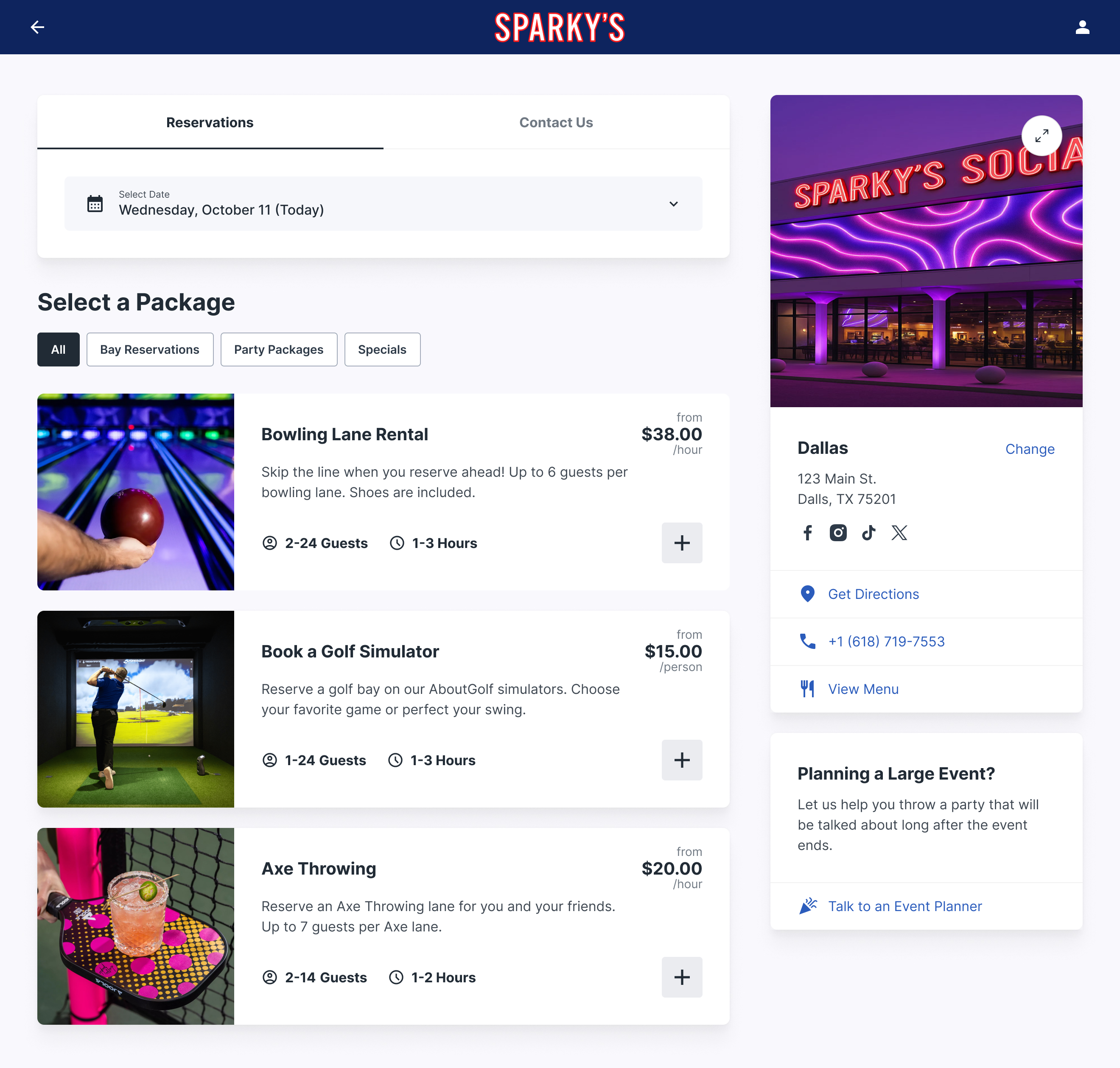
1. Online Booking and Reservation System
This is your revenue engine. Without it, every booking requires a phone call or walk-in. You're limited to business hours, limited to however many staff can answer phones, and you lose every guest who comparison-shops three venues and picks the one where they can book in 2 minutes.
What to look for:
- Multi-activity support — handles all your activity types in one system (bowling + sims + axe throwing + karaoke — not separate tools for each)
Direct booking flow — guests book through Rex's branded booking flow without being redirected to a generic third-party page
- Built-in add-ons and upsells — during checkout, not after
- Package flexibility — you'll want to test and change pricing constantly in your first year
- Multi-activity bookings — guests booking bowling AND dinner AND arcade in one transaction
Set up 4–8 weeks before opening. You need time to configure packages, test the booking flow, train staff. Your booking page should be live for pre-opening reservations at least 2 weeks before doors open. Not sure where to start? Check out our guide to the best booking systems for a detailed comparison.
Common mistake: Choosing a system built for a single activity type (bowling-only or axe-throwing-only) when your venue has multiple activities. You'll outgrow it in 6 months and face a painful migration.
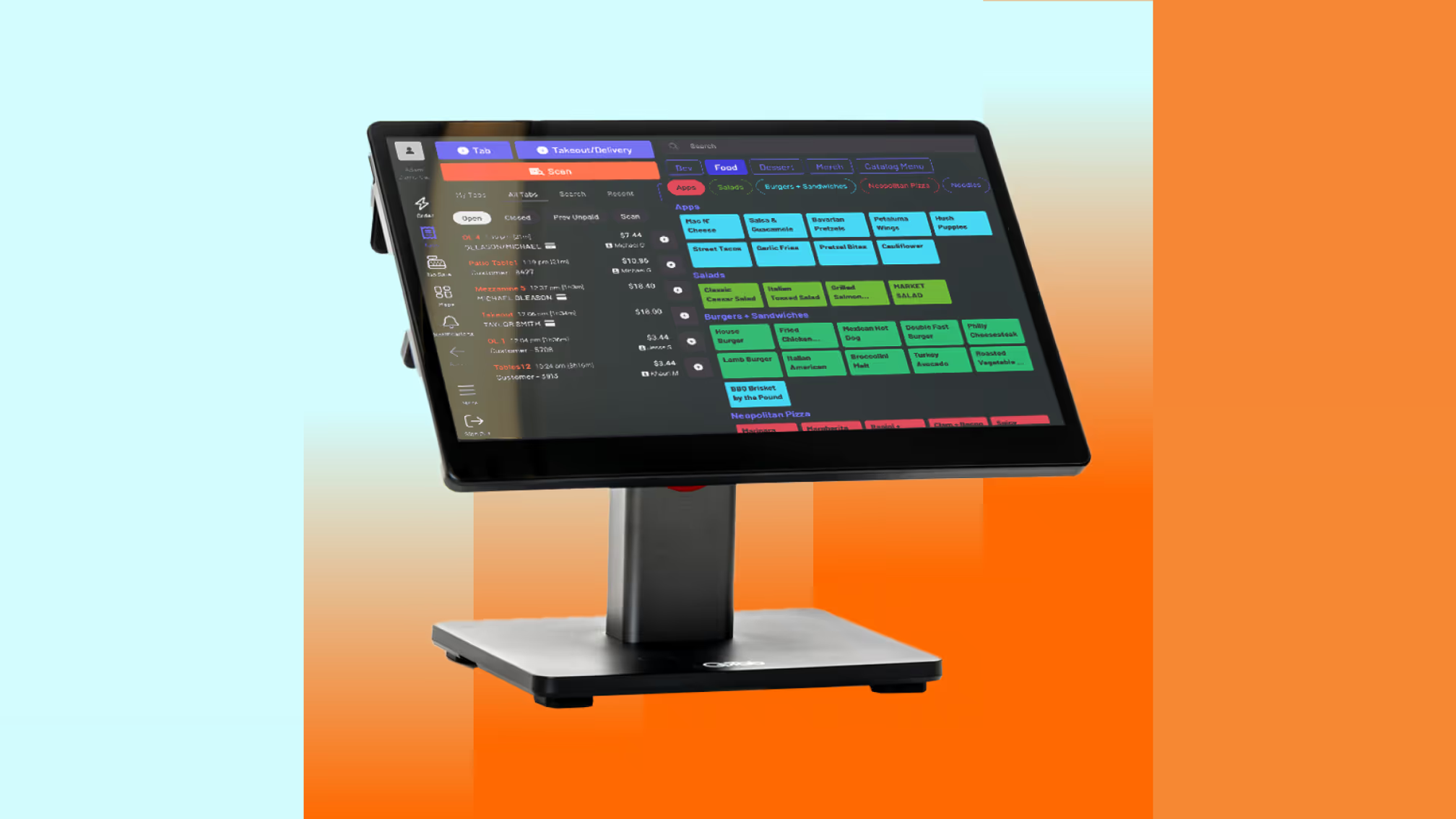
2. Point of Sale (POS)
Your POS is the backbone of in-venue operations. Staff uses it hundreds of times a day. Speed and reliability matter more than features.
- Entertainment/hospitality focused — retail POS systems don't handle tabs, split checks, or F&B workflows well
- Fast checkout — minimal taps per transaction
- Tab management — guests want to open a tab and close it when they leave
- Kitchen display system (KDS) integration — essential if you serve food
- Booking system integration — so a guest who pre-booked and pre-paid doesn't have to re-enter everything
Leading options include GoTab (built for entertainment/hospitality, mobile ordering — see how Rex integrates with GoTab), Toast (restaurant-focused but widely used), and Square (simple but limited at scale).
Set up 3–6 weeks before opening. Menu setup, staff training, and hardware installation take time. You want at least 1 week of staff practice before real guests arrive.
Common mistake: Trying to use your POS as your booking system too. POS systems are built for in-venue transactions, not online reservations. You need both — and they should talk to each other.
3. Payment Processing
If you can't take payments smoothly, nothing else matters.
- Competitive rates — typically 2.5–2.9% + $0.10–$0.30 per transaction
- Works with both systems — your booking system and POS
- Supports deposits, full pre-payment, and in-venue charges — all three scenarios
- PCI compliant — non-negotiable
Set up at the same time as your booking system and POS. Apply for your merchant account at least 4 weeks before opening — approval can take time. Learn more about how Stripe payments integrate with Rex.
Common mistake: Different processors for online vs. in-venue with no reconciliation. You'll spend hours matching transactions. Aim for a unified view or at minimum easy reconciliation.
4. Website
Your digital front door. 80%+ of guests will visit your website before they visit your venue. If the site is slow, confusing, or doesn't let them book, they go somewhere else.
- Fast loading — under 3 seconds on mobile
- Mobile-first design — most guests browse on phones
- Clear booking CTA on every page — not buried in a submenu
Direct booking link — guests book through Rex's branded platform, not a generic third-party redirect
- SEO basics covered — page titles, meta descriptions, schema markup
Set up 6–12 weeks before opening. You want the site live for pre-opening buzz, social media linking, and Google indexing. Need tips on making your venue website convert? Read our guide on whether your website is actually turning visitors into paying guests.
Common mistake: Building a beautiful website with no booking integration. A gorgeous site with "call to reserve" is a billboard with no phone number on it.
5. Party and Event Management (CRM)
Parties and events are high-margin, high-revenue bookings — birthday parties, corporate events, team outings, holiday parties. But they have a longer sales cycle: inquiry → follow-up → customization → deposit → confirmation → event. Without a system, inquiries fall through the cracks. Every lost party inquiry is $500–$5,000 in revenue.
- Full lifecycle management — inquiry capture → proposal/contract → deposit → event management
- Booking system integration — party bookings and regular bookings must share the same availability calendar
- Automated follow-ups — if someone inquires and you don't respond in 24 hours, you've probably lost them
- Reporting — party revenue, conversion rates, and lead sources
The industry standard is Tripleseat — see how Rex integrates with Tripleseat to keep party and regular bookings in sync. For more strategies, check out our guide on increasing party bookings at your entertainment center. Set up 2–4 weeks before opening.
Common mistake: Managing party inquiries via email or a spreadsheet. It works for 5 inquiries a month. At 20+, you start losing bookings — and the ones you lose are your highest-value customers.
6. Analytics and Reporting
You can't optimize what you can't measure. In your first 90 days, you'll need to make fast decisions about pricing, packages, staffing, and marketing. Data beats gut feel every time.
- Google Analytics 4 — free, essential for website traffic
- Booking system reporting — booking volume, revenue, popular packages
- POS reporting — in-venue sales, food and beverage performance
- Google Search Console — free, shows how you rank in Google
Install all analytics before launch. GA4 and Search Console should be on your website from day one. You lose all the data from your most critical learning period — the first 90 days — if you wait.
The Extended Stack: Nice-to-Have Systems
These aren't launch-critical but become important as you grow:
- Email Marketing (Mailchimp, HubSpot) — newsletters, promotions, re-engagement campaigns. Add in month 2–3, but build your email list from day one.
- Reputation Management (Birdeye, Podium) — automates review requests after visits. Add in month 1–2. Reviews on Google are critical for local SEO.
Digital Waivers — electronic liability waivers signed before arrival. Required before opening if your activities need waivers (axe throwing, trampolines). Rex handles digital waivers natively — no separate waiver tool required if you're on Rex. For other booking systems, Smartwaiver and WaiverSign are common integrations.
- Staff Scheduling (7shifts, Homebase) — employee scheduling, time tracking, labor cost management. Set up before opening.
- Security Cameras (Verkada, Rhombus) — venue security and incident documentation. Non-negotiable for insurance and liability.
- Licensed Music (Rockbot, Soundtrack Your Brand) — don't use personal Spotify. Licensing matters.
The Setup Timeline
Here's when to tackle each system relative to your opening date:
- 12–8 weeks out — Design, build, and launch your website. Start SEO indexing.
- 8–6 weeks out — Select and begin configuring your booking system. Set up packages, pricing, activities.
- 6–4 weeks out — Select POS, install hardware, configure menus. Apply for merchant account.
- 4–3 weeks out — Set up party/event CRM. Create proposal and contract templates.
3–2 weeks out — Go live for pre-opening reservations. Share your booking link and test the full guest flow end-to-end.
- 2–1 weeks out — Confirm analytics are working. GA4, Search Console, booking/POS reporting.
- 2–1 weeks out — Full staff training on all systems. Run mock bookings, transactions, party inquiries.
- 1 week out — End-to-end test: online booking → POS check-in → in-venue transaction → post-visit. Fix any gaps.
How Everything Connects
The most important integration: booking system ↔ POS. When a guest pre-books and pre-pays online, the front desk should know instantly — no manual look-ups, no re-entering information.
The second most important: booking system ↔ party CRM. Party bookings and regular bookings must share the same availability calendar. Double-booking a lane for both a walk-in group and a birthday party ruins two experiences at once.
Questions to Ask Every Vendor
Before signing with any technology vendor, ask these questions:
- "How many entertainment venues use your product?" — If the answer is vague, it's not their focus.
- "Can I see a demo with a venue similar to mine?" — Generic demos hide limitations.
- "What integrations do you support?" — Get the specific list, not "we integrate with everything."
- "How long does setup take?" — Factor this into your timeline.
- "What does changing packages or pricing look like?" — If the answer involves support tickets or developer time, walk away. You need speed.
- "What happens when I add a second location?" — Plan for growth even if you're starting with one venue.
- "What's the total cost?" — Monthly fees, transaction fees, setup fees, hidden charges. Some systems look cheap monthly but add per-transaction fees that scale painfully.
- "Can I leave if it doesn't work out?" — Understand the contract, data export, and migration path.
Frequently Asked Questions
What's the most important system to set up first?
Your website and booking system. They work together — the site drives awareness and the booking system captures revenue. Everything else supports these two.
Can I use one system for everything?
No single system does it all well. You need purpose-built tools that integrate. A booking system that tries to be a POS will be mediocre at both. The key is choosing systems that talk to each other.
How much should I budget for technology?
Plan for $20K–$75K in total technology costs including hardware, software setup, and first-year subscriptions. This is 2–5% of a typical venue build budget — a small investment relative to the revenue it protects.
What if I'm opening a single-activity venue?
The same stack applies, just simpler. You still need online booking, a POS, payment processing, a website, and analytics. The party CRM becomes more important for single-activity venues since events often drive a larger share of revenue.
When should I start evaluating vendors?
At least 12 weeks before opening. Vendor selection, demos, contract negotiation, and setup all take longer than expected. Starting early gives you buffer for the inevitable surprises.
Get Your Booking System Right From Day One
Your venue's technology isn't a cost center — it's a revenue driver. The right tech stack captures bookings you'd otherwise miss, upsells automatically, manages parties without dropping the ball, and gives you the data to grow faster. If you're planning a new venue, also check out our comprehensive guide on how to start a family entertainment center for the full operational picture.
Ready to see how the booking piece fits? Book a 30-minute demo with Rex →